
|
|
| I'll try to make this as easy and painless as possible. |
IRC stands for Internet Relay Chat. Though I've heard dispute on the direct origin of IRC.
IRC gained international fame during the Gulf War in 1991, where updates from around the world came across the wire, and most irc users who were online at the time gathered on a single channel to hear these reports. IRC had similar uses during the coup against Boris Yeltsin in September 1993, where IRC users from Moscow were giving live reports about the unstable situation there.
Over time IRC has gained such popularity that marriages have even resulted from relationships first forged on IRC. In fact, some people have become so addicted to chatting on the Internet that there's a Usenet newsgroup entitled alt.irc.recovery. |
| How to download mIRC - Connect to Undernet - and join #my_channel |
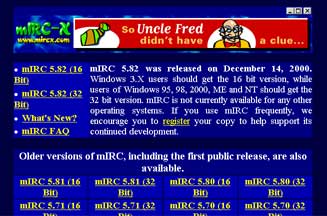 |
You can download from many places, but I like mirc-x.com. This is a link to the download site. www.mirc-x.com The window should look like this. You can click on any version and download it. (5.82 is the newest version) I still use mIRC 5.6 |
 |
Once the download is complete you will see an Icon like this one. Just double click it and follow the loading instructions. Once the loading is complete you can find this new program in your start menu. Start/Programs/mIRC32.exe |
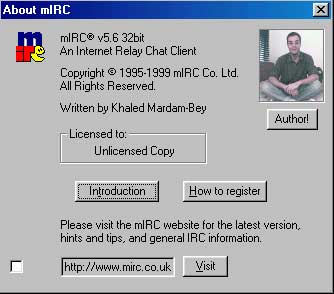 |
When this box pops up... Simply close it with the X in the top right corner. |
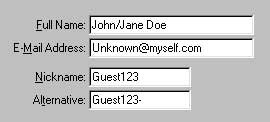 |
Fill out the info... Real name optional... Choose a nick... Chances are unless your really creative your first choice might already be taken. |
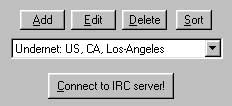 |
Now choose a server... Making sure that you get Undernet (in this case Undernet is the network, US. CA. Los Angeles is the server). If you click on the arrow you will see several... Undernet is the one you want though. |
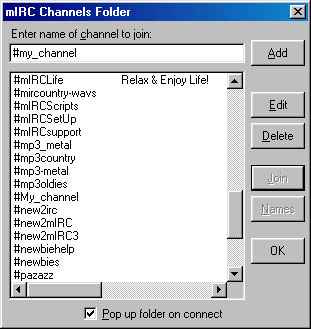 |
Once you connect to IRC a channels window will popup. Now in the type bar type this: #my_channel as shown. Click the add button, then click the join button, and prepare yourself for a good time. |